
Running a care home means balancing countless responsibilities, from ensuring excellent resident care to managing staff and maintaining compliance. Marketing might not always be at the top of your to list, but it should be. One of the most powerful (and free) tools available to care home managers is Google Business Profile. If you have not optimised yours yet, you could be missing out on valuable enquiries from families searching for care in your area.
Google Business Profile (formerly Google My Business) is your care home's digital shopfront. When someone searches for "care homes near me" or "nursing homes in [your town]", your Google Business Profile can be the difference between them clicking through to your website or choosing a competitor. Let us explore how to make the most of this essential marketing tool.
Setting Up Your Google Business Profile Properly
If you have not already claimed your Google Business Profile, that is your first step. Visit google.com/business and search for your care home. If it already exists (Google sometimes creates listings automatically), you will need to verify that you own or manage it. If it does not exist, you can create one from scratch.
When setting up your profile, accuracy is absolutely crucial. Ensure your care home's name, address, and phone number (NAP) are identical to how they appear on your website and other online directories. Any inconsistencies can confuse both Google and potential residents' families, potentially harming your visibility in local search results.
Choose the most appropriate category for your business. "Nursing home" or "Residential care home" are typically the best primary categories, depending on your specific services. You can also add secondary categories like "Aged care" or "Care home" to help Google understand exactly what you offer. Getting this right helps you appear in the most relevant searches when families are looking for the specific type of care you provide.
Creating Content That Connects With Families
Your Google Business Profile is not just a static listing. It is a dynamic platform where you can share updates, photos, and information that helps families get to know your care home before they visit. Regular posts can showcase what makes your home special and keep your profile fresh in Google's eyes.
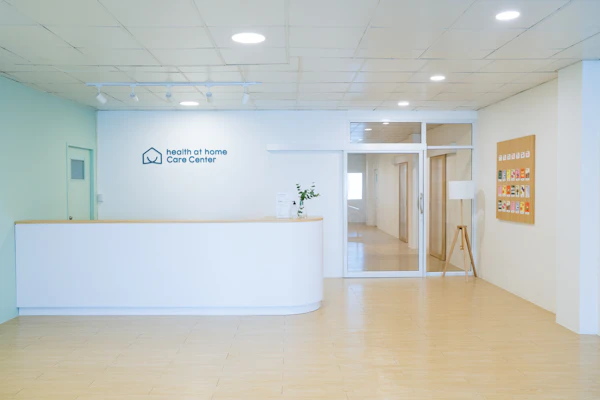
Share photos that tell your story. Images of communal areas, beautiful gardens, activities, and happy residents (with appropriate permissions, of course) help families visualise what life would be like at your care home. Update your photos regularly, especially seasonal images that show your home throughout the year. Families want to see real, authentic glimpses of daily life, not just staged marketing shots.
Use the posts feature to share news and updates. Did a resident celebrate their 100th birthday? Have you introduced a new activities programme? Has your home received a Good or Outstanding CQC rating? These updates demonstrate that your care home is active, caring, and committed to quality. Aim to post at least once a fortnight to keep your profile engaging and current.
At Blue Cactus Digital, we have seen care homes significantly increase enquiries simply by maintaining an active, well-optimised Google Business Profile. It is one of the most cost-effective marketing strategies available to care providers.
Free guide: The Ultimate Guide to Marketing Your Care Home
Get the full playbook as a free PDF, no fluff.
Encouraging and Managing Reviews
Reviews are perhaps the most powerful element of your Google Business Profile. Families researching care homes rely heavily on what others say about their experiences. A strong collection of positive reviews builds trust and credibility in ways that your own marketing messages simply cannot.
Encourage satisfied families to leave reviews. This can feel awkward, but it does not have to be pushy. After a positive conversation or during regular family meetings, simply mention that online reviews help other families make informed decisions. You might say something like, "If you have been happy with the care [resident's name] has received, we would really appreciate it if you could share your experience on our Google listing." Make it easy by providing a direct link to your review page.
Always respond to reviews, both positive and negative. Thank people for positive feedback and acknowledge their specific comments. For negative reviews, respond professionally and compassionately. Avoid being defensive. Instead, acknowledge their concerns, apologise where appropriate, and offer to discuss the matter privately. Future families reading these exchanges will judge you not just on the complaint itself, but on how you handled it.
Keeping Your Information Current and Comprehensive
Your Google Business Profile should answer the questions families are asking before they even need to contact you. Complete every section thoroughly. Add your website URL, opening hours (many care homes offer 24/7 enquiries, so specify this), and services offered. The more information you provide, the more confident families will feel about reaching out.
Use the attributes feature to highlight what makes your care home special. Can you accommodate residents with dementia? Do you have outdoor space? Is your home family-friendly for visits? These small details help families filter their search and find homes that meet their specific needs.
Keep your opening hours up to date, especially during holidays or special circumstances. If your office hours for enquiries differ from visiting hours, make this clear in your business description. Nothing frustrates potential clients more than arriving to find different hours than what was listed online.
The question and answer section is often overlooked but incredibly valuable. You can add your own questions and answers to address common queries about costs, services, visiting policies, or the admissions process. This proactive approach demonstrates transparency and saves families time.
Monitoring Your Profile's Performance
Google Business Profile provides insights about how people find and interact with your listing. Check these regularly to understand what is working. You can see how many people viewed your profile, how many clicked through to your website, and how many requested directions.
Pay attention to the search terms people use to find you. This information can inform your broader marketing strategy and help you understand what families are looking for. If you notice certain questions appearing repeatedly, consider addressing them in your profile description or Q&A section.
Blue Cactus Digital works with care homes across the UK to develop comprehensive digital marketing strategies, and optimising Google Business Profile is always a foundational element. It is simply too valuable to ignore.
Your Google Business Profile is often the first impression families have of your care home. By keeping it accurate, engaging, and up to date, you make it easier for families to find you, learn about you, and ultimately choose you for their loved one's care. The best part is that it costs nothing but a bit of time and attention, making it one of the most worthwhile investments you can make in your care home's visibility and reputation.
Related Articles

The Ultimate Guide to Marketing Your Care Home
Grab the full playbook as a free PDF while you're here.